SaskTel APN Settings for iPhone iPad 3G+
Posted: Sun Sep 29, 2013 5:27 pm
SaskTel APN Settings for iPhone iPad 3G+
Internet Settings for iPhone:
In the main menu -> Settings-> General Settings -> Network ->Turn ON Cellular Data ( Or Mobile Data Network) -> Select Cellular Network ( Or Mobile Data Network) -> new APN and type the following data there
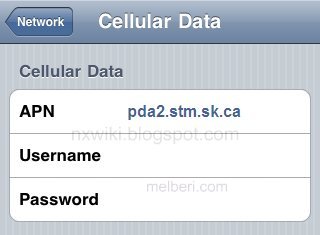
Cellular Data:
APN: pda2.stm.sk.ca
Username: Blank
Password: Blank
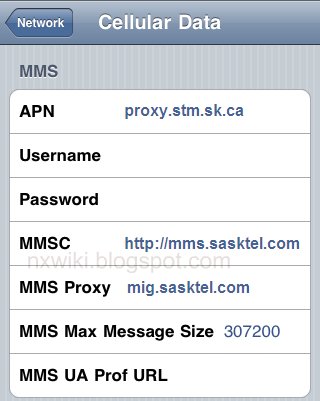
MMS:
APN: proxy.stm.sk.ca
Username:Blank
Password: Blank
MMSC: http://mms.sasktel.com" onclick="window.open(this.href);return false;
MMS Proxy: mig.sasktel.com
MMS Message Size: 307200
MMS UA Prof URL: default
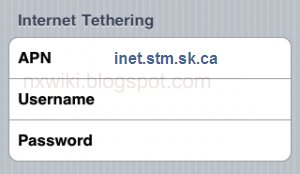
Internet Tethering:
APN : inet.stm.sk.ca
UserName : Blank
Password : Blank
Internet Settings for iPhone:
In the main menu -> Settings-> General Settings -> Network ->Turn ON Cellular Data ( Or Mobile Data Network) -> Select Cellular Network ( Or Mobile Data Network) -> new APN and type the following data there
Cellular Data:
APN: pda2.stm.sk.ca
Username: Blank
Password: Blank
MMS:
APN: proxy.stm.sk.ca
Username:Blank
Password: Blank
MMSC: http://mms.sasktel.com" onclick="window.open(this.href);return false;
MMS Proxy: mig.sasktel.com
MMS Message Size: 307200
MMS UA Prof URL: default
Internet Tethering:
APN : inet.stm.sk.ca
UserName : Blank
Password : Blank